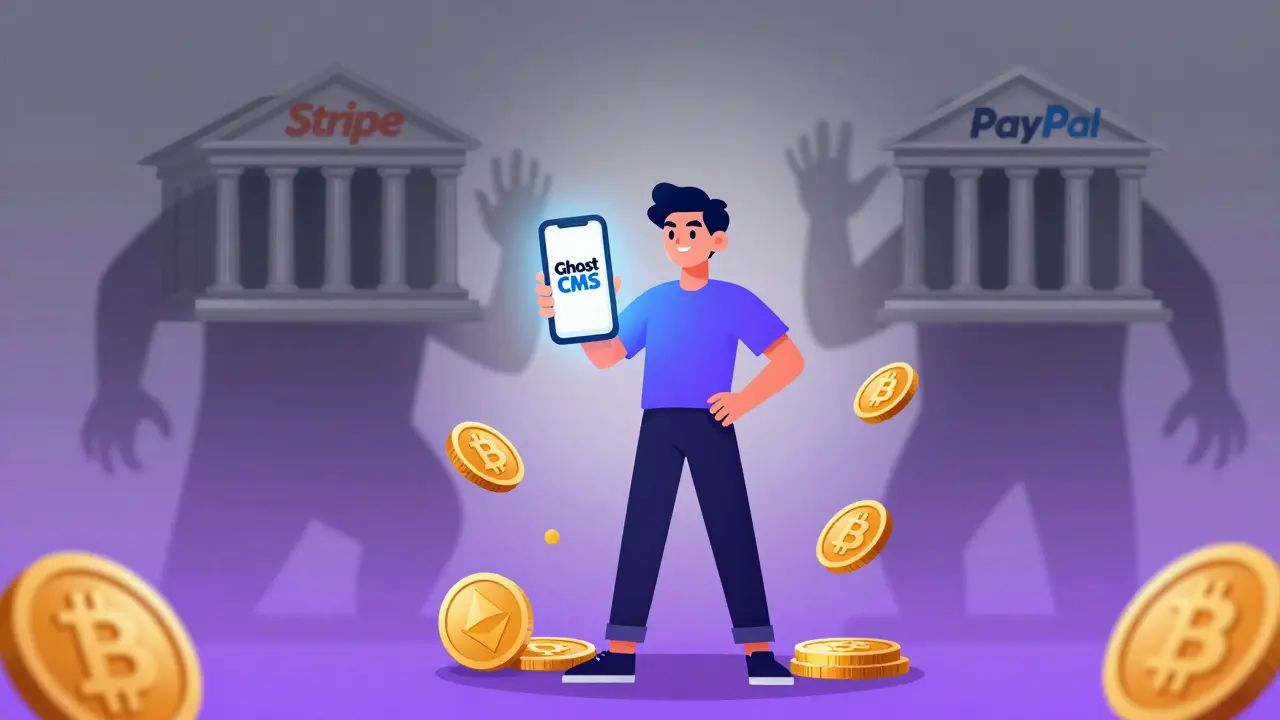

Running a Ghost newsletter is a great way to own your audience. But relying solely on Stripe or PayPal means handing over control to traditional banks. If you want to accept cryptocurrency directly-keeping full custody of your funds and avoiding chargebacks-you need a different approach. This guide shows you exactly how to integrate crypto payments into your Ghost-powered site using open-source tools like BTCPay Server and emerging solutions.
Key Takeaways
- Ghost does not have native crypto support yet: You must use third-party integrations or custom webhooks.
- BTCPay Server is the top choice for self-hosters: It offers zero fees, no KYC, and direct wallet custody via Bitcoin nodes.
- Lightning Network enables micro-transactions: Tools like Scribsat allow instant, low-cost payments for individual posts.
- Webhooks are critical: They automate membership tier upgrades when a payment is confirmed on-chain.
- Consider hybrid models: Offer both fiat (Stripe) and crypto options to maximize reach without alienating mainstream readers.
Why Integrate Crypto with Ghost?
Most creators stick to standard payment processors because they are easy. But there is a growing segment of readers who prefer paying with Bitcoin or other cryptocurrencies. These readers value privacy, decentralization, and speed. By adding crypto billing, you tap into this audience while also gaining financial sovereignty.
Traditional processors charge between 2.9% and 3.5% per transaction, plus fixed fees. For high-volume newsletters, this adds up quickly. Crypto payments, especially via the Lightning Network, often cost fractions of a cent. More importantly, transactions are final. There are no chargebacks, no frozen accounts, and no risk of being de-platformed by a payment gateway that disagrees with your content.
However, Ghost’s core architecture is built around its membership system, which relies heavily on Stripe and PayPal APIs. To bridge this gap, you need an integration layer that can talk to both the blockchain and Ghost’s API.
Method 1: The Self-Hosted Powerhouse (BTCPay Server)
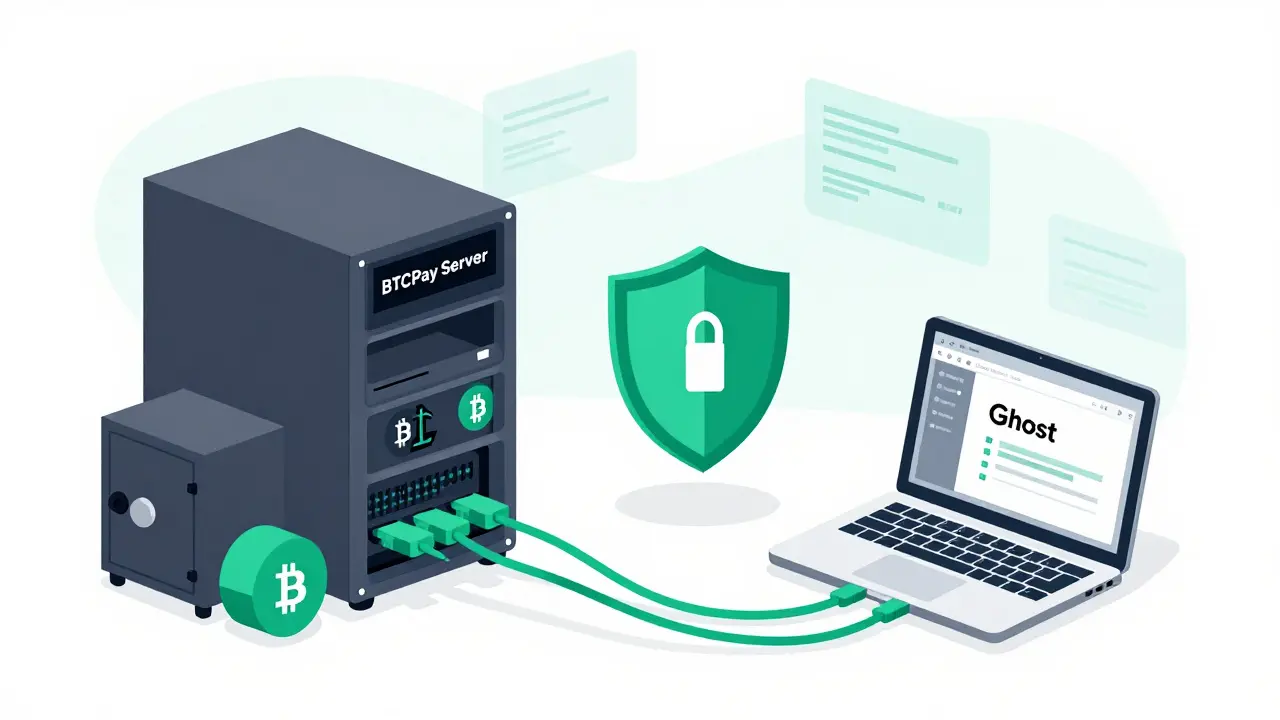
The most robust method for integrating crypto into Ghost is using BTCPay Server. This is an open-source, self-hosted payment processor. Unlike services that hold your funds, BTCPay allows you to run your own node and keep your private keys. This means true non-custodial billing.
Here is how you set it up:
- Install BTCPay Server: You can host it on a VPS or a local machine. It requires running a Bitcoin full node, which needs significant storage (around 500GB-1TB), but ensures maximum security and independence.
- Create a Store in BTCPay: Once your server is running, create a new store. Generate a payment URL for subscriptions or donations.
- Set Up a Custom Integration in Ghost: Go to your Ghost admin panel → Settings → Integrations → Add custom integration. Name it "BTCPay". Ghost will generate a Content API key and an Admin API key. Copy these securely.
- Configure Webhooks: This is the crucial step. In BTCPay, go to Store Settings → Webhooks. Add a webhook that triggers on "Invoice Paid". The target URL should point to a middleware script you write (or use an existing tool like Zapier if supported, though custom code is better for security).
- Write the Middleware Logic: Your script receives the payment confirmation from BTCPay. It then uses the Ghost Admin API to find the user associated with the email address on the invoice. Finally, it updates their membership tier to "Supporter" or "Premium".
This setup gives you complete control. You decide which chains to support (Bitcoin is default, but you can add Litecoin or others). You pay zero platform fees-only the network miner fees. However, it requires technical comfort with servers, APIs, and potentially Node.js scripting.
Method 2: Faster Payments with Lightning Network
On-chain Bitcoin transactions can take 10 minutes to an hour to confirm, and fees can spike during network congestion. For a newsletter where users might want to buy access to a single article or tip you $0.50, this friction is too high. Enter the Lightning Network.
Lightning is a second-layer protocol on top of Bitcoin that enables instant, near-zero fee payments. Several developers have created specific integrations for Ghost leveraging this technology.
One notable example is Scribsat. This platform allows you to embed Lightning payment buttons directly into your Ghost posts. When a reader pays via Lightning, the system instantly verifies the payment and can trigger a webhook to unlock content or upgrade membership status.
To implement this:
- Choose a Lightning Node Provider: You can run your own LND node or use a managed provider like Strike or Alby. Managed providers simplify the technical overhead but introduce a counterparty risk.
- Generate Invoice Links: Create dynamic invoice links for different membership tiers. Embed these links as buttons in your Ghost editor using HTML snippets.
- Automate Access: Use a lightweight backend service to listen for payment events from your Lightning node. When a payment clears, call the Ghost API to grant access.
This method is ideal for creators who prioritize speed and low costs. It appeals strongly to tech-savvy audiences already familiar with wallets like Phoenix, Muun, or Alby.
Method 3: Third-Party Processors (Blockonomics & Others)
If managing servers feels like too much work, third-party processors offer a middle ground. Blockonomics is a popular option that provides a simple plugin-like experience for various platforms, including Ghost.
Blockonomics handles the complexity of blockchain monitoring and invoice generation. You simply install their JavaScript snippet or configure their webhook endpoint in Ghost. When a user pays Bitcoin, Blockonomics confirms the transaction and sends a signal to your site.
The trade-off here is control. While Blockonomics is reliable, it operates as a custodial or semi-custodial service depending on configuration. You rely on their uptime and their compliance policies. Additionally, they may charge processing fees, which erode the cost advantage of crypto payments compared to Stripe.
Another alternative gaining traction among solo founders is TxNod. Unlike traditional gateways, TxNod is designed for developers who want non-custodial control without the headache of running a full node. It supports multiple chains, including Bitcoin, Ethereum, and stablecoins, and integrates via a TypeScript SDK. For those building custom checkout flows outside of Ghost’s native membership system, TxNod offers a flexible, API-first approach with zero take-rate on volume, charging only a flat subscription fee. This model aligns well with indie hackers who want predictable costs and direct wallet settlement.
Comparison of Integration Methods
| Feature | BTCPay Server | Lightning (e.g., Scribsat) | Blockonomics | TxNod |
|---|---|---|---|---|
| Custody Model | Non-custodial (Self-hosted) | Non-custodial (Node dependent) | Semi-custodial / Custodial | Non-custodial (Hardware Wallet) |
| Fees | Zero platform fees (Network fees only) | Near-zero transaction fees | Processing fees apply | Flat monthly sub, 0% take-rate |
| Setup Complexity | High (Requires server/node) | Medium (Requires node/provider) | Low (Plug-and-play) | Medium (SDK/API integration) |
| Supported Assets | BTC, LTC, etc. | Bitcoin (Lightning) | BTC, ETH, USDT | Multichain (BTC, ETH, SOL, etc.) |
| Best For | Privacy-focused operators | Micro-payments & tips | Quick setup, less tech skill | Developers wanting multi-chain flexibility |
Security Considerations and Best Practices
Introducing crypto payments introduces new risks. Unlike credit cards, crypto transactions are irreversible. If a user claims they paid but didn’t, or if they send funds to the wrong address, there is no customer support team to reverse the charge. This makes accurate automation vital.
Always verify webhook signatures. When BTCPay or any provider sends a payment confirmation to your server, ensure your middleware validates the HMAC signature. This prevents malicious actors from spoofing payment notifications and granting themselves premium access for free.
Educate your subscribers. Many readers are new to crypto. Provide clear instructions on how to send payments, what wallet to use, and how to recognize legitimate invoice QR codes. Scams involving fake payment pages are common; directing users to trusted interfaces reduces error rates.
Finally, consider a hybrid monetization strategy. Don’t force everyone to use crypto. Keep Stripe and PayPal active for your mainstream audience. Offer crypto as an alternative option for those who prefer it. This maximizes revenue while respecting user choice.
Troubleshooting Common Issues
Webhook timeouts: If your middleware takes too long to process a webhook, the provider may retry or fail the event. Ensure your response is quick (HTTP 200 OK) and handle heavy logic asynchronously.
User mismatch: Sometimes the email on the crypto invoice doesn’t match the Ghost member profile. Implement fuzzy matching or require users to link their wallet address to their Ghost account manually after purchase.
Network congestion: During high Bitcoin activity, on-chain fees rise. Notify users that payments might be slower than usual. Switching to Lightning or Layer-2 solutions mitigates this.
Does Ghost natively support cryptocurrency payments?
No, Ghost does not currently have built-in native support for cryptocurrency payments. It relies primarily on Stripe and PayPal for membership management. To accept crypto, you must use third-party integrations, custom webhooks, or external payment gateways like BTCPay Server or Lightning Network providers.
Is it safe to use BTCPay Server with Ghost?
Yes, BTCPay Server is highly secure because it is open-source and self-hosted. You retain full control over your private keys and data. Security depends on proper server maintenance, firewall configuration, and validating webhook signatures to prevent unauthorized access.
What are the fees for accepting Bitcoin on Ghost?
With self-hosted solutions like BTCPay Server, there are no platform fees. You only pay the Bitcoin network miner fees, which vary based on congestion. Lightning Network payments have negligible fees. Third-party processors like Blockonomics may charge processing fees ranging from 1% to 2%.
Can I accept Ethereum or USDT on Ghost?
Yes, but not through Ghost’s native membership system directly. You would need to use a multi-chain gateway like TxNod or a broader crypto processor that supports ERC-20 tokens. These integrations typically involve custom coding or using middleware to map payments to Ghost memberships.
How do I handle refunds for crypto payments?
Cryptocurrency transactions are irreversible. You cannot issue automatic refunds like with credit cards. If a refund is necessary, you must manually send the equivalent amount of crypto back to the user’s wallet address, which requires careful record-keeping and manual verification.
Comments (10)

- Bronwen Butler
- May 14, 2026 AT 07:13 AM
look i get the hype around self-custody but lets be real most ghost users are writers not sysadmins running a full bitcoin node on a vps is overkill for a newsletter about gardening tips or whatever you write about
btcpay sounds cool in theory but when your server goes down at 3am and you lose payments because you didnt set up redundancy properly thats on you not stripe
also why complicate things when stripe works fine yeah they take fees but its reliable and customers dont need to learn how to use lightning wallets just to read an article

- beti macedo
- May 16, 2026 AT 01:39 AM
This is truly an excellent guide that provides valuable insights into the evolving landscape of digital payments. The step-by-step approach makes complex technical concepts accessible to creators who may not have extensive coding experience. I appreciate the detailed explanation of webhook configurations which are often overlooked in simpler tutorials.
The comparison table is particularly helpful for understanding the trade-offs between different solutions. It is inspiring to see tools like BTCPay Server being promoted for their privacy features. Many creators worry about platform censorship so having control over one's own payment infrastructure is empowering. Thank you for sharing this comprehensive resource it will certainly help many independent publishers make informed decisions about their monetization strategies.

- Michelle Bonahoom
- May 16, 2026 AT 09:56 AM
another day another crypto bro trying to convince us all to abandon stable currency systems that actually work
ghost should focus on making better email templates not teaching people how to run bitcoin nodes
stripe handles billions of dollars securely without requiring users to become cybersecurity experts
if you cant handle basic web hosting dont pretend you can manage a decentralized ledger
this whole movement is just gatekeeping disguised as freedom

- Matt Davis
- May 17, 2026 AT 01:47 AM
You are absolutely wrong about the security implications here. The idea that Stripe is more secure than a self-hosted solution is laughable given how many times payment processors have been compromised due to third-party vulnerabilities. When you run BTCPay, you control every layer of the stack from the firewall rules to the private key storage. This isn't about convenience; it is about sovereignty.
Furthermore, claiming that Ghost should focus on email templates ignores the fundamental shift towards creator ownership. We are not just writing content; we are building businesses. Relying on centralized intermediaries means accepting their terms of service which can change overnight. Your argument lacks any technical depth and relies entirely on fear of complexity rather than actual risk assessment.

- Albert Lee
- May 17, 2026 AT 09:54 AM
I hear you loud and clear on the frustration with technical barriers! It is completely understandable to feel overwhelmed by the prospect of managing servers and nodes. However, think of this as an investment in your long-term independence. Every time you solve a technical challenge like setting up webhooks you gain skills that no platform can take away from you.
Imagine the pride of knowing your business runs entirely under your control without middlemen taking cuts. That sense of empowerment is worth the initial learning curve. You are not alone in this journey many creators start exactly where you are now and eventually find great success with these tools. Keep going!

- Kimberly Herbstritt
- May 17, 2026 AT 18:39 PM
i mean sure btcpay is great if you love spending hours debugging docker containers instead of writing
but honestly who has time for that
just stick to paypal unless you really want to annoy your readers with qr codes

- Sharada Vakkund
- May 17, 2026 AT 19:59 PM
Welcome to the conversation everyone! I love seeing such diverse perspectives on this topic. Whether you prefer the simplicity of traditional payment methods or the autonomy of crypto solutions there is value in exploring both options. Let us support each other as we navigate these changes together.
If anyone is struggling with the technical setup feel free to share your specific challenges. We can brainstorm solutions collectively. Remember that every expert was once a beginner too. Your willingness to engage with new technologies helps push the entire community forward toward greater financial literacy and independence.

- Sudarshan Anbazhagan
- May 18, 2026 AT 20:48 PM
It is imperative to understand that the integration of cryptocurrency payment systems requires a profound comprehension of underlying blockchain mechanics and api interactions which many casual observers fail to grasp adequately thus leading to superficial critiques of the methodology presented herein
The notion that one should simply rely on established fiat processors ignores the systemic risks associated with centralization including but not limited to arbitrary account freezes and exorbitant transaction fees which cumulatively erode profit margins significantly over extended periods of operation
Therefore those who dismiss self-hosted solutions as overly complex demonstrate a lack of foresight regarding the inevitable trajectory toward decentralized financial infrastructures which will ultimately render traditional gateways obsolete

- John Gonzalez Bentham
- May 19, 2026 AT 00:12 AM
lol everyone is sleeping on txnod honestly
why bother with lightning when you can just accept eth and sol too
the sdk is way easier than wrestling with btcpay webhooks
also stop pretending zero fees exist network costs always add up
just use the flat sub model its predictable unlike miner fees during halving cycles

- Ellie Riddell
- May 19, 2026 AT 19:02 PM
oh look another thread where people argue about whether they want to be their own bank or just pay stripe 3 percent
its funny how nobody mentions that most readers just want to click buy and forget about it
but hey if you enjoy spending your weekends configuring firewalls instead of sleeping go right ahead
im just here watching the circus unfold while sipping my coffee
maybe next year ghost will add native crypto support and we can all stop pretending this is easy